
The Ultimate Cheat Code for Busy Women & Moms
My AI Stack as a Mom of 2 & Entrepreneur and How I Use AI to Carry the Mental Load

You see, Me….and AI, LOCKED IN FOR LIFE! 🤝 🔒. I love talking about it. I love testing new tools. I love finding weird, useful, slightly genius ways to use them. If you've been around me long enough, you've heard me bring it up at least once. Probably more. The way technology can give us back our time, our energy, and our brain space when we use it intentionally, that's the part I find soooooo exciting!
I've been using AI since the very early days, and looking at where we are now versus then is honestly hard to believe. The pace of all of this has been wild to witness in real time. What started as one curious tool has turned into a whole stack of them for me, and each tool has a specific job:
Claude — my main, for writing, planning, strategy, anything overall
WisprFlow — for easy voice dictation
ChatGPT — image generation
Perplexity — deeper research with sources
Canva Magic Edit — content and home project mockups
Plus a few others rotating in and out, depending on the task.
But I don't want to talk about the tools themselves. I want to talk about what they've actually changed, because being a mom of two (and all the roles that come with that), a creative entrepreneur, and an investor means the to-do list never ends.
So here's how AI has genuinely made my life easier to the point it feels almost like a cheat code others haven’t discovered yet…but I’m about to put you on.
Mom brain offload
If you’re a mom, you already know that the mental load is real. School calendars, dress-up days, picture day, early dismissals, snack assignments, who has practice when, whose shoes don’t fit anymore, what needs to be restocked in the house. It is A LOT to hold in your head, and until I can get myself a house manager, AI is my hack.
I take screenshots of the kids’ school calendars and send them straight to Claude to add them to my calendar, no manual typing, no missing dates, and with better formatting that I would have done. Same with any paper that comes home in the backpack, I take a photo and send it to Claude to add to my calendar or to do list. Voice dictation while I’m walking through Walmart? Also a thing. I’ll say, “remind me to send the sample work to my assistant tomorrow morning,” and it just handles it.
Quick tip: I created a separate email JUST for Claude, totally disconnected from my personal stuff. Then I forward everything I need it to handle: school newsletters, brand deal briefs, doctor appointment reminders, camp schedules, all of it. Claude takes it from there.
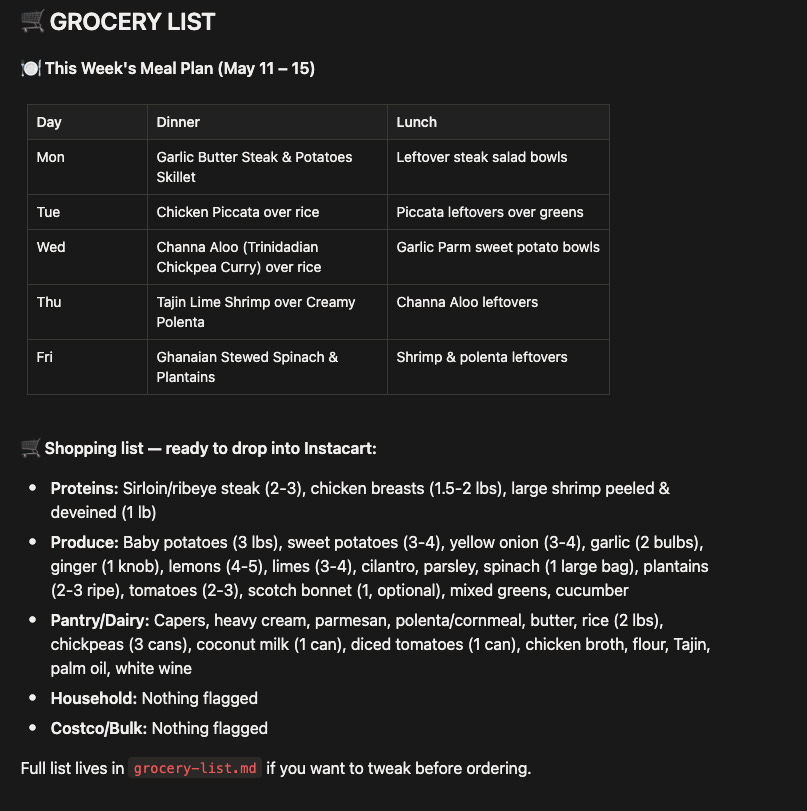
Claude delivers daily briefings every day via Notion. Every morning I get a quick rundown of the grocery list for the week, calendar reminders, deadlines, kids’ school stuff, work deadlines all in one place. Here is a preview of what a typical briefing looks like:


For groceries/meal planning, I just save recipes to Pinterest, and Claude pulls from that board weekly to help me plan meals and build out the grocery list. No more cracking my brain trying to come up with what to cook every week. I have this scheduled to show up in my Monday and Tuesday daily briefings. See below for what this week looks like in our house.
Household Management/ Home Design Projects
So I am currently working on quite a few home projects right now: a home library, built-in shelves by our fireplace, cabinets in the laundry room, etc and AI has been a GAME CHANGER for visualizing those before I commit a dollar. I’ll describe what I want, or pull up a reference, and have Canva Magic Edit or ChatGPT help me see it before it exists. It saves me from making expensive “I thought this would look different” mistakes. Let me show you a preview of some of what I’ve been working on…..

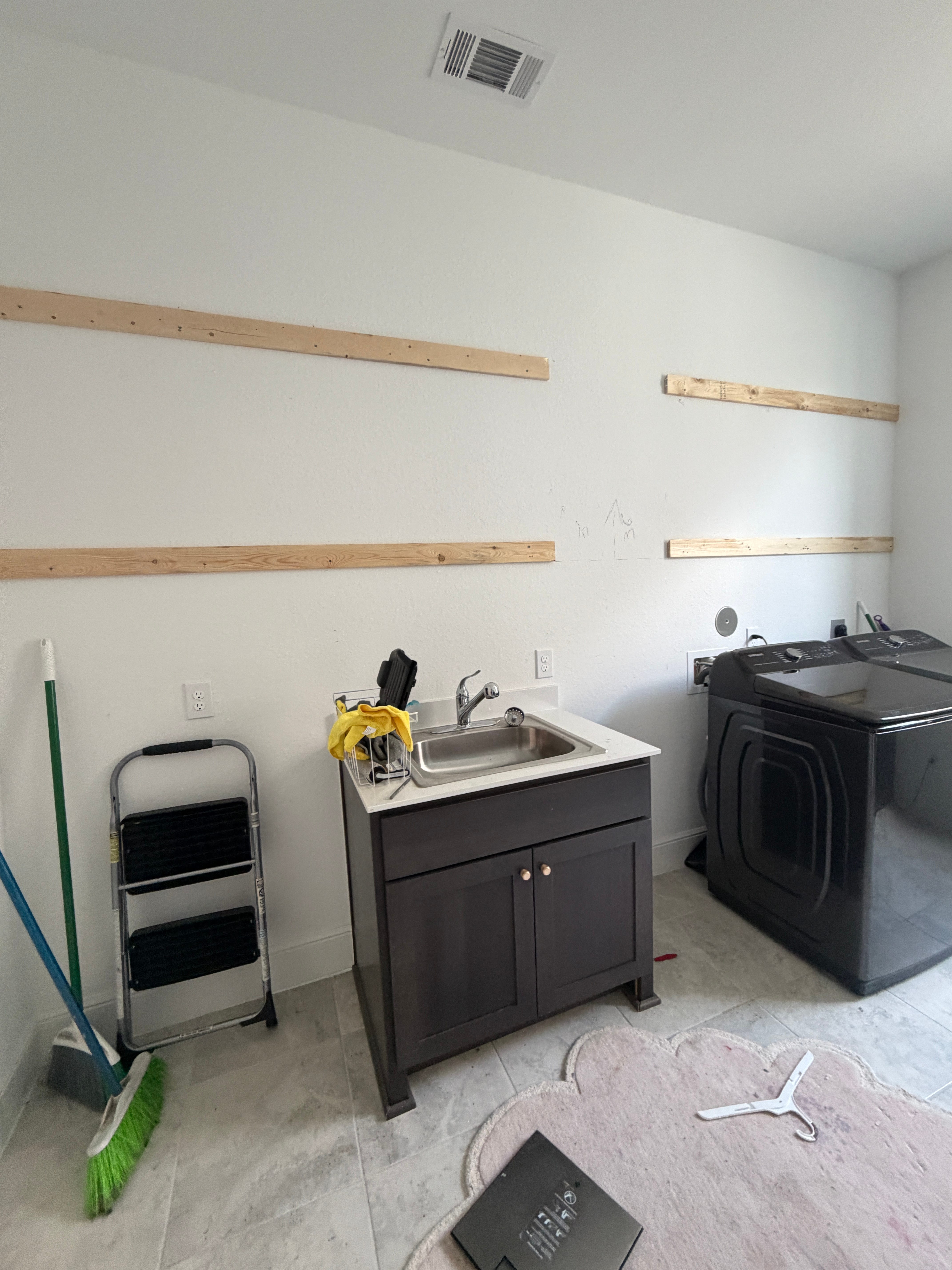


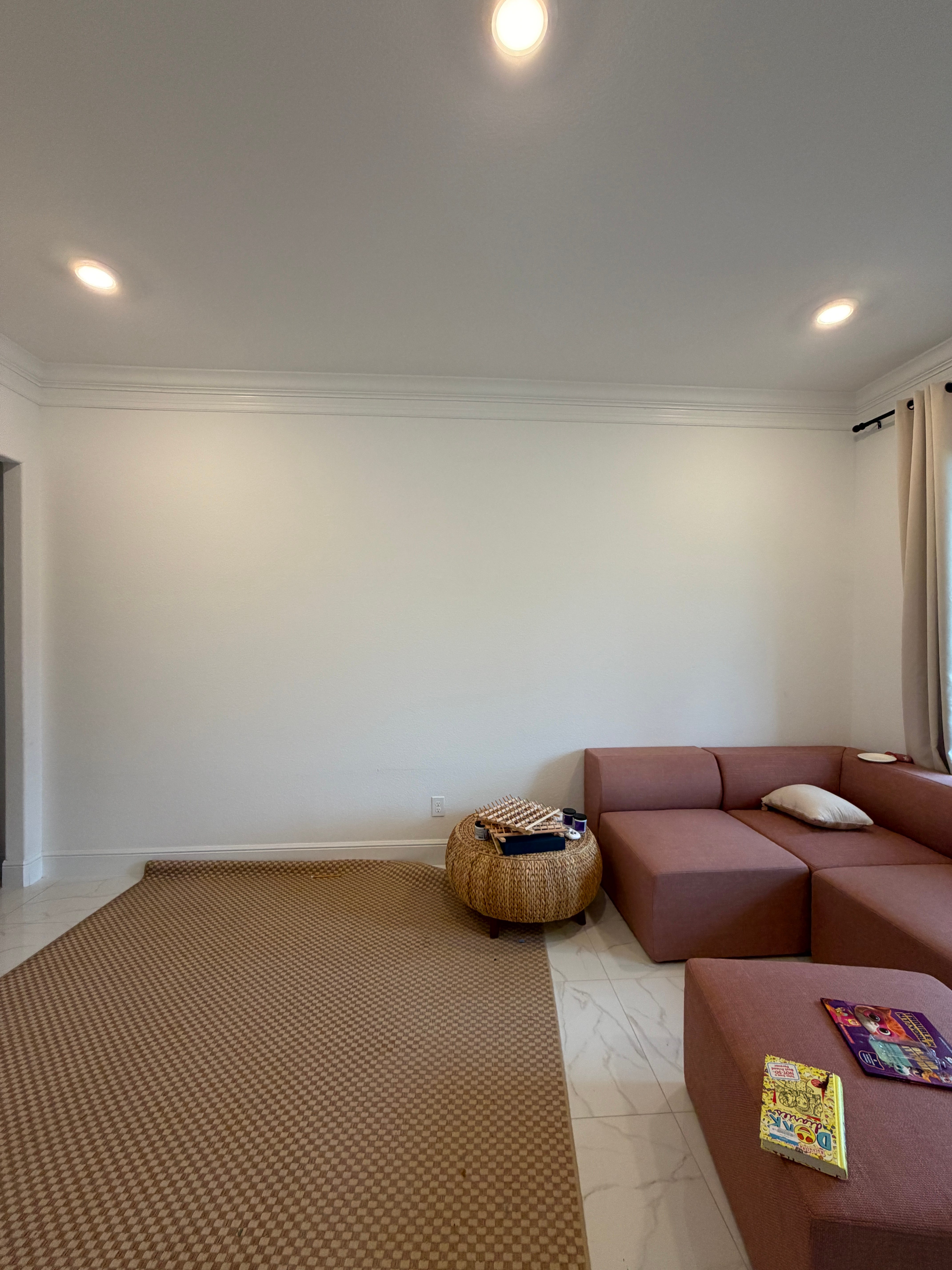


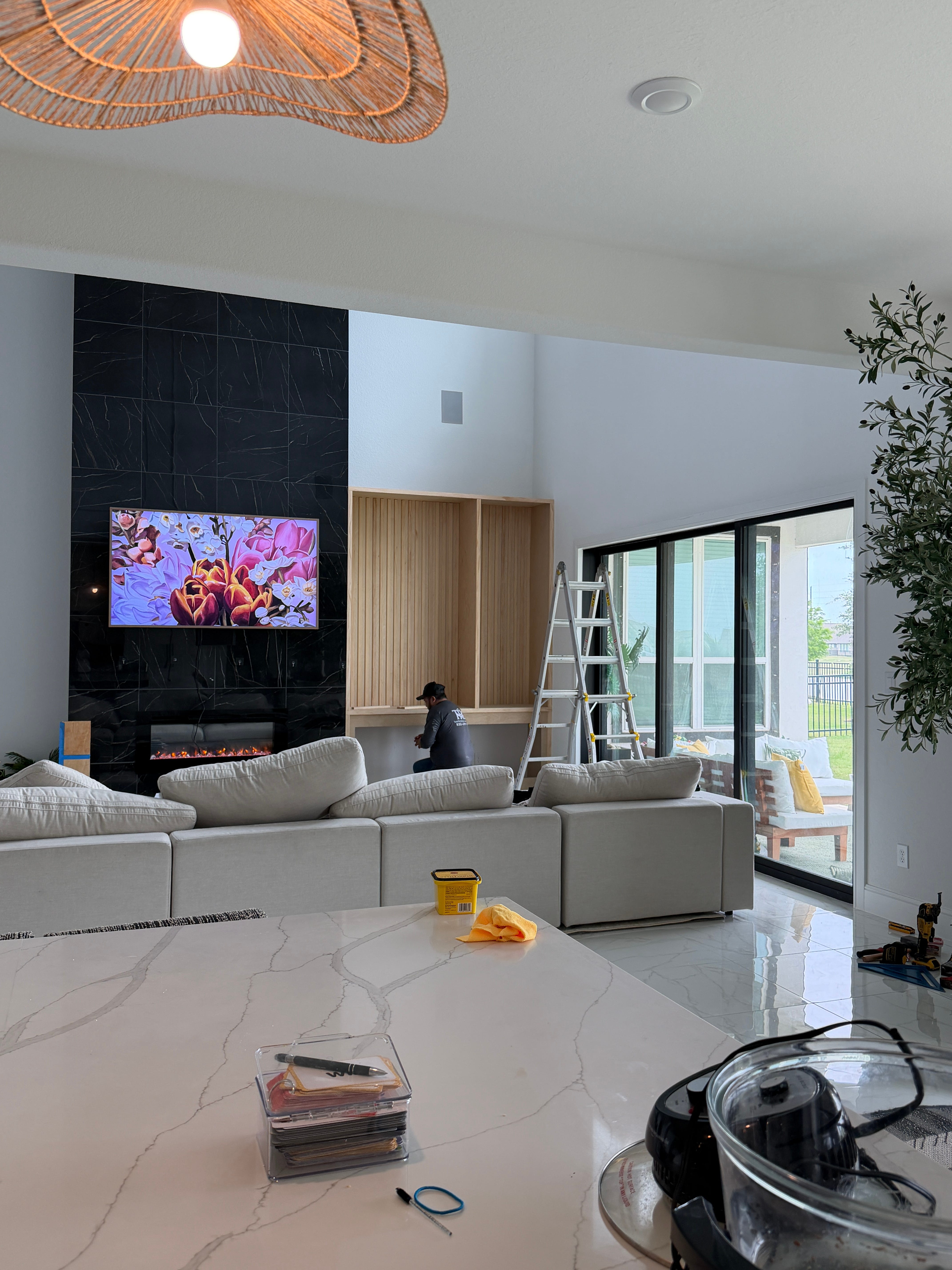
I have a few more really cool designs I am working on in the house…. but I’ll save those reveals for later 😁.. Just know that AI has made working with my contractors SOOOOOOO much easier, like yall have no idea!
Summer vacation and kids’ camps planning are also AI-assisted. Comparing camp dates, building the master schedule, and mapping out where everyone needs to be and when. The chaos that used to live in 47 browser tabs now lives in one organized calendar…I’m also currently building out their summer 2026 bucket list and adding those things to the calendar.
Business
This is where AI really earns its keep and the subscriptions are well worth it. Claude knows my voice and my audience, my content inspo collection feeds the ideas, Perplexity researches, Canva visualizes.
The full breakdown : prompts, workflows, and the whole behind-the-scenes lives in my CSC Claude series.

Health & wellness
AI is where I research any health questions I have, build workouts around my actual goals, and upload my bloodwork to track changes over time. I finally feel like I have real info to make better choices with.
To wrap it all up
What started as me being a curious AI nerd has turned into a system that genuinely runs my life quietly, in the background, while I get to show up more fully everywhere else. Once you set it up to actually work for you, everything shifts.
And if you’re reading this thinking okay but how do I actually set all of this up, I got you!
I put everything into a step-by-step digital guide called The AI Cheat Code for Busy Women & Moms built specifically for beginners. No tech background needed. It walks you through every tool, every prompt, and every workflow I mentioned here, including how to set up Cowork, Schedules, and Dispatch so your briefing runs automatically without you lifting a finger every morning.
If this was helpful in any way, please abeg don’t gatekeep me..…share with a friend who could use some help!
Sincerely,
Tolani